Adding Budgets
You can use Easy Expense as your budget planner to help you track your monthly spending and saving goals.
Last updated About 1 year ago
Mobile App
Mobile App
Tap the "Dashboard" tab
Under "Financials" tap "Budget"
Tap "Set Your Budget"
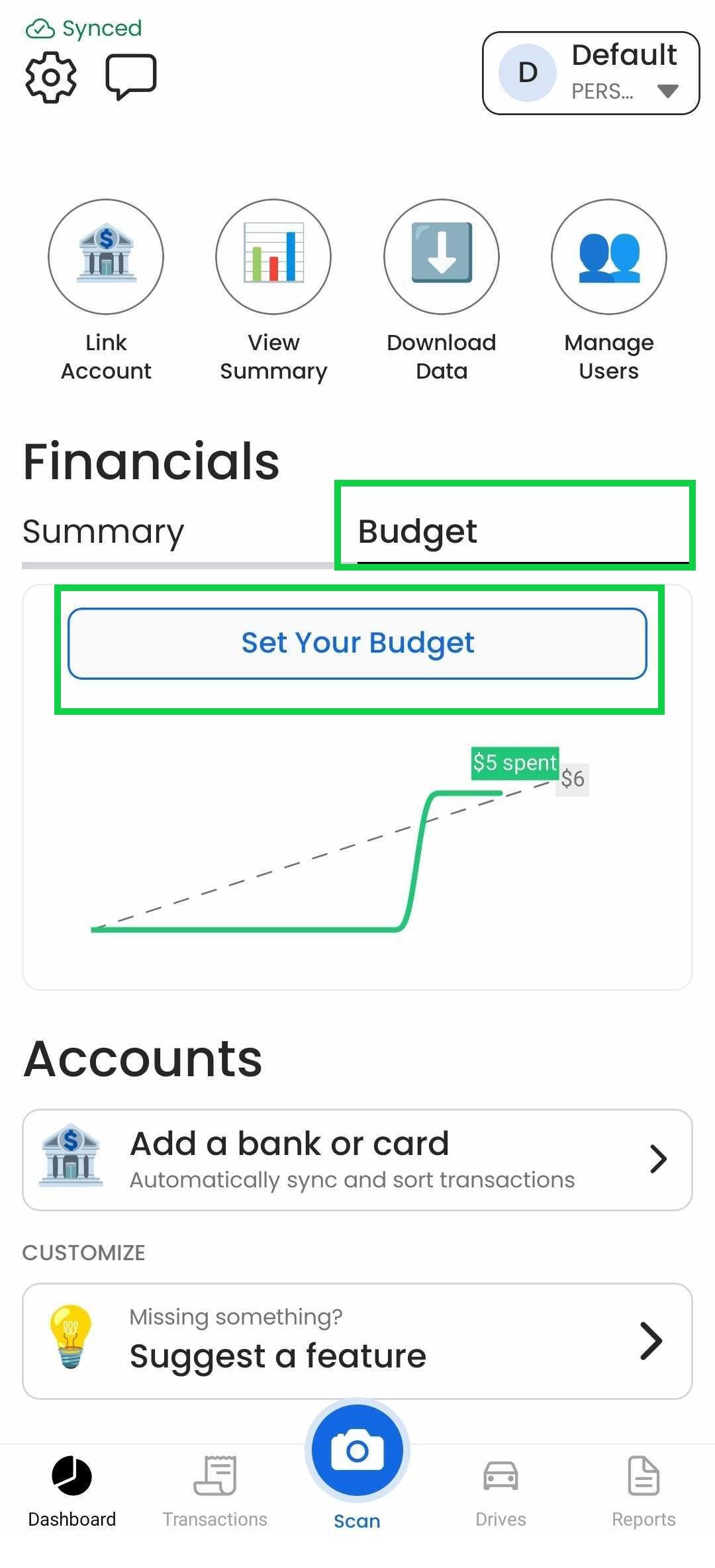
From here you can tap "(+) Budget Categories" to add categories to better organize your spending.
You can edit these categories any time by tapping the category icon in the budget overview or by going to the budget tab and tapping the graph, then tapping the category you want to edit.
Web App
Web App
At the moment, this feature is only available through our Mobile App
Was this helpful?
Still need help? Share an idea