Inviting Users (Teams)
Last updated About 1 year ago
Forming a Team
A team is formed by inviting users to join your workspace.
Users added to a team can add expenses, export reports, and more. You can change their role to manage what they can see.
Inviting a User
After inviting a new user’s email, an account will automatically be created for them. A link will be sent to their email for them to set a password. If there are any issues, have them reset their password on the login screen (input email ➜ “Reset Password”) [Reference Demo]
For existing users, they will automatically be added to your workspace. They can access your workspace using the workspace selector.
App Links
Web App: https://app.easy-expense.com/
iOS (Apple): https://apps.apple.com/us/app/receipt-scanner-easy-expense/id1528787066
Android (Google Play): https://play.google.com/store/apps/details?id=com.easyexpense
Mobile App
Mobile App
There are multiple ways to invite a user to your workspace. If they successfully join your workspace, they will see "Invite Accepted." If they don't, please have them wait until "working..." appears in their browser.
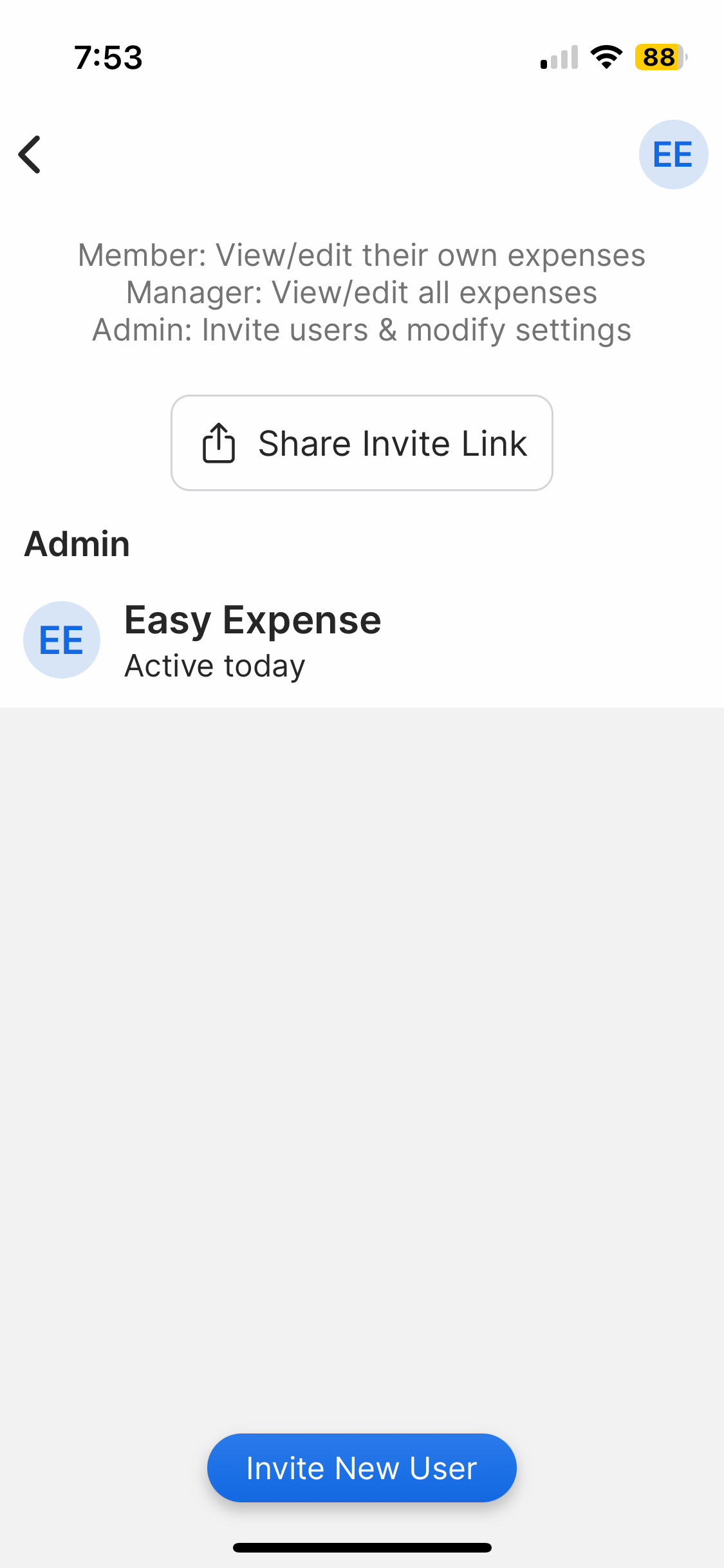
To invite a user by email
To invite a user by email
Tap the "Dashboard" tab
Tap "Manage Users"
Tap "Invite New User"
Enter your member's email
Tap "Send Invite"
An invitation will be sent to that email, where they can create an account and join your workspace.
To remove a user
To remove a user
Tap the “Dashboard” tab
Tap “Manage Users”
Tap the unwanted user
Tap “Disable User”
Disabling a user will remove them from your workspace. This will not remove the data they have added to your workspace.
For members using "Sign in with Apple"
For members using "Sign in with Apple"
For iOS members, please instruct them to tap "Sign In" (not "Get Started") and select "Share My Email" when signing in with Apple.
If they accidentally selected "Hide My Email", please have them tap "Help" on the top right of the paywall and message customer support.
To disable "Hide My Email"
Open the "Settings" app on the device
Tap the Apple profile
Tap "Sign-In and Security"
Tap "Sign in with Apple"
Tap "Easy Expense"
Tap "Stop Using Apple ID"
Tap "Stop Using"
When signing in with Apple again, select "Share my Email".
Web App
Web App
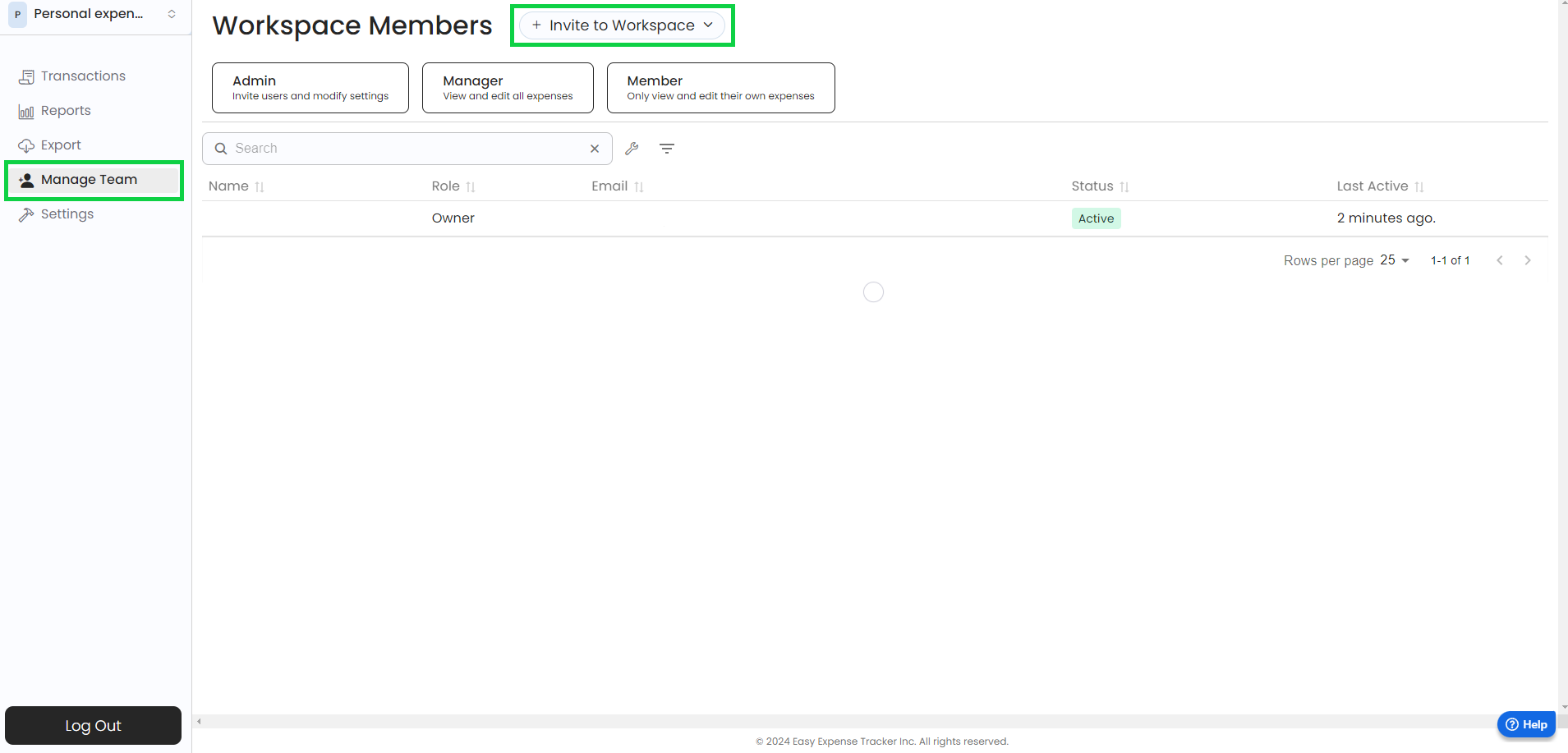
1. Open the web app
2. Click on "Manage Team"
3. Click on "Invite to Workspace"
4. Type the email address
5. Click "Send invite"
Was this helpful?
Still need help? Share an idea