Team Roles and Permissions
Last updated About 1 year ago
Team Roles
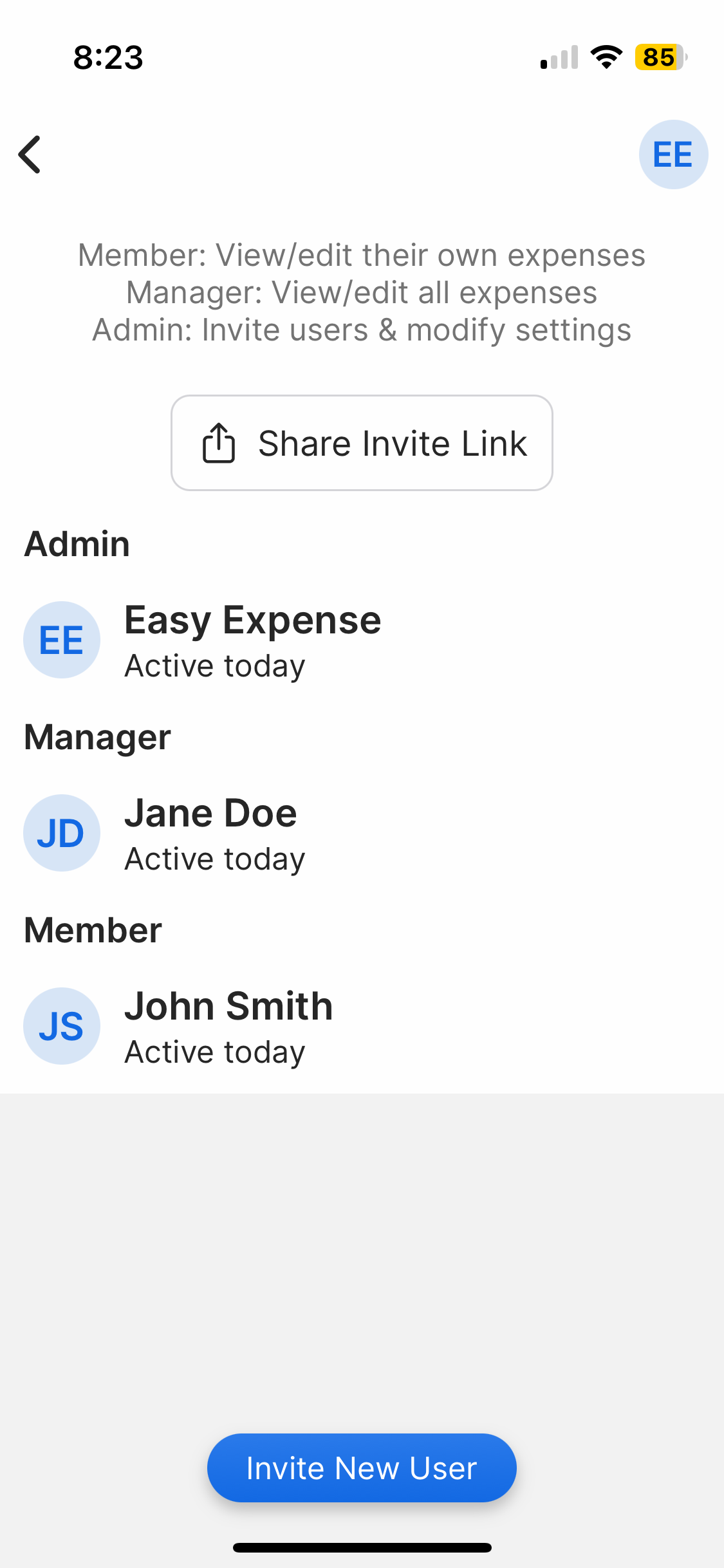
Member: View/edit their own expenses, no budgeting, CSV exports only
Manager: View/edit all expenses, create shared reports, view/edit budget, all exports
Admin: All of the above, invite users, change user roles (except for other admins/owner), & modify workspace settings
Generally, workspaces will have their own vendors, categories, payment methods, and teams. This will help you decide if you need multiple workspaces or one workspace to manage data.
The following will always be shared in the workspace:
Categories
Vendors
Clients
Saved locations (Trips)
Manage and Invite Users
Mobile App
Mobile App
There are several ways to access the "Manage and Invite Users" screen:
From the Dashboard
From the Dashboard
Tap "Dashboard"
Tap "Manage Users"
From Settings
From Settings
Tap the gear icon (top left)
Tap "Workspace"
Select your workspace (top right)
Tap "Manage and Invite Users"
From the Workspaces tab
From the Workspaces tab
Tap the Workspace (top right)
Tap "Settings"
Select your workspace (top right)
Tap "Manage and Invite Users"
To change a user's role
To change a user's role
Tap "Manage and Invite Users"
Tap the user
Select their role
To remove a user from the workspace
To remove a user from the workspace
Tap "Manage and Invite Users"
Tap the user
Tap "Disable User"
Disabling a user will remove them from your workspace. This will not remove the data they have added to your workspace.
To make workspace "members" only see their own payment methods
To make workspace "members" only see their own payment methods
Members will see all payment methods in the workspace by default. However, you can change this in the workspace settings.
Tap the gear icon (top-left)
Tap "Workspace"
Tap "Hide Payment Methods"
Tap True
Web App
Web App
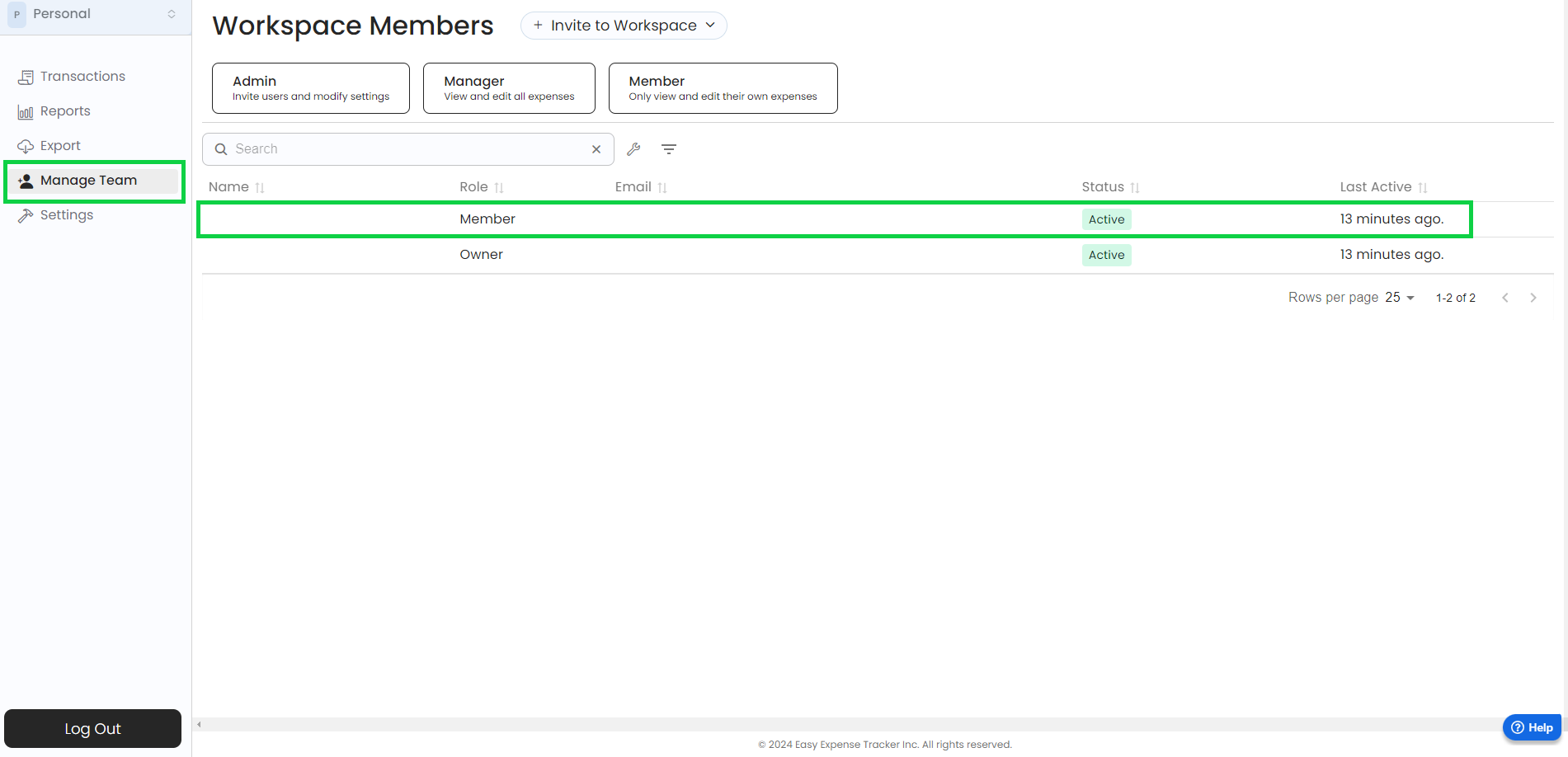
To change a user's role
To change a user's role
Open the web app
Click on "Manage team”
Select the user you want to edit
Select their role
To remove a user from the workspace
To remove a user from the workspace
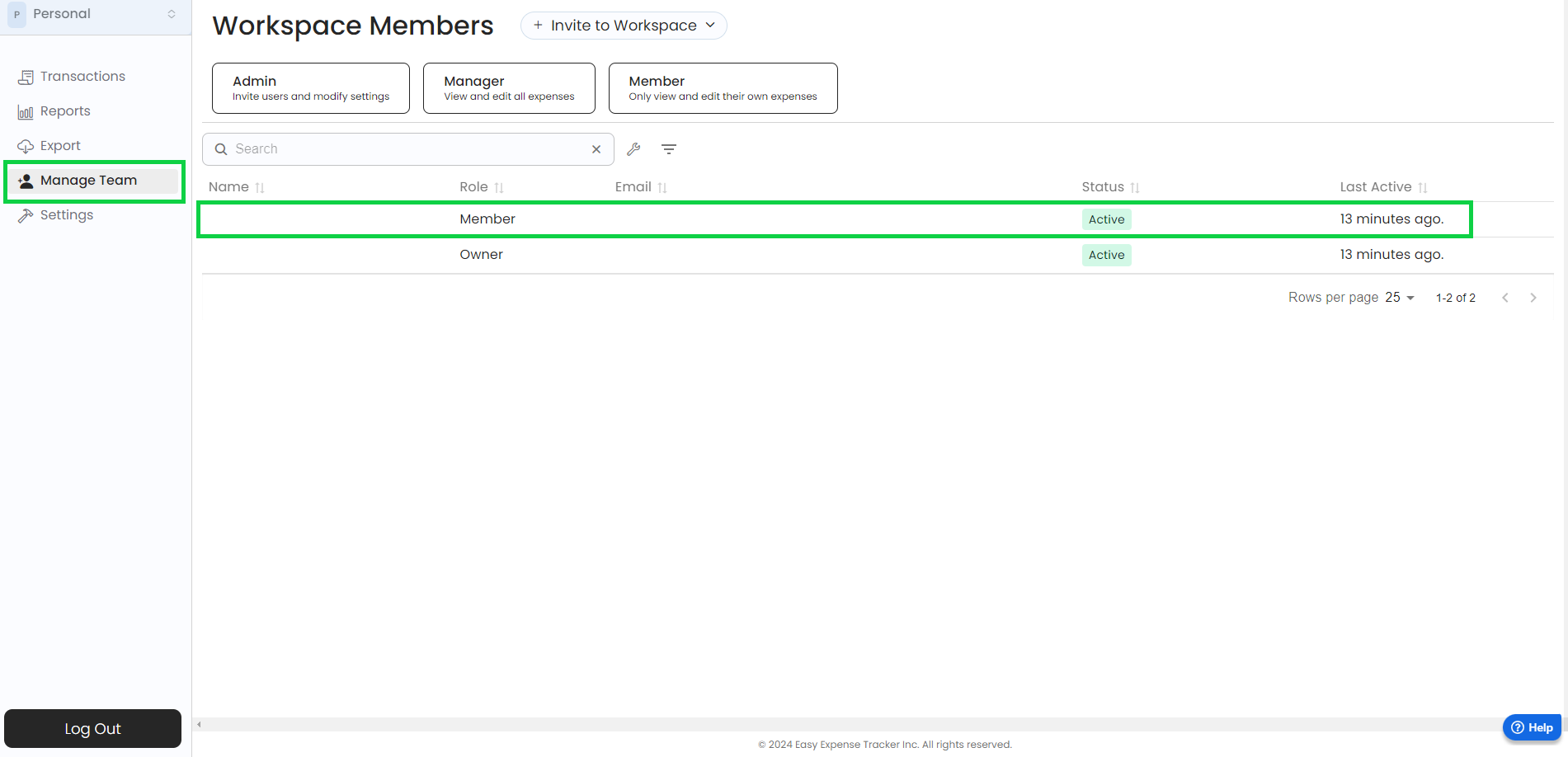
Open the web app
Click on “Manage team”
Select the user you want to remove
Click on “Disable”
Confirm the removal
Disabling a user will remove them from your workspace. This will not remove the data they have added to your workspace.
To make workspace "members" only see their own payment methods
To make workspace "members" only see their own payment methods
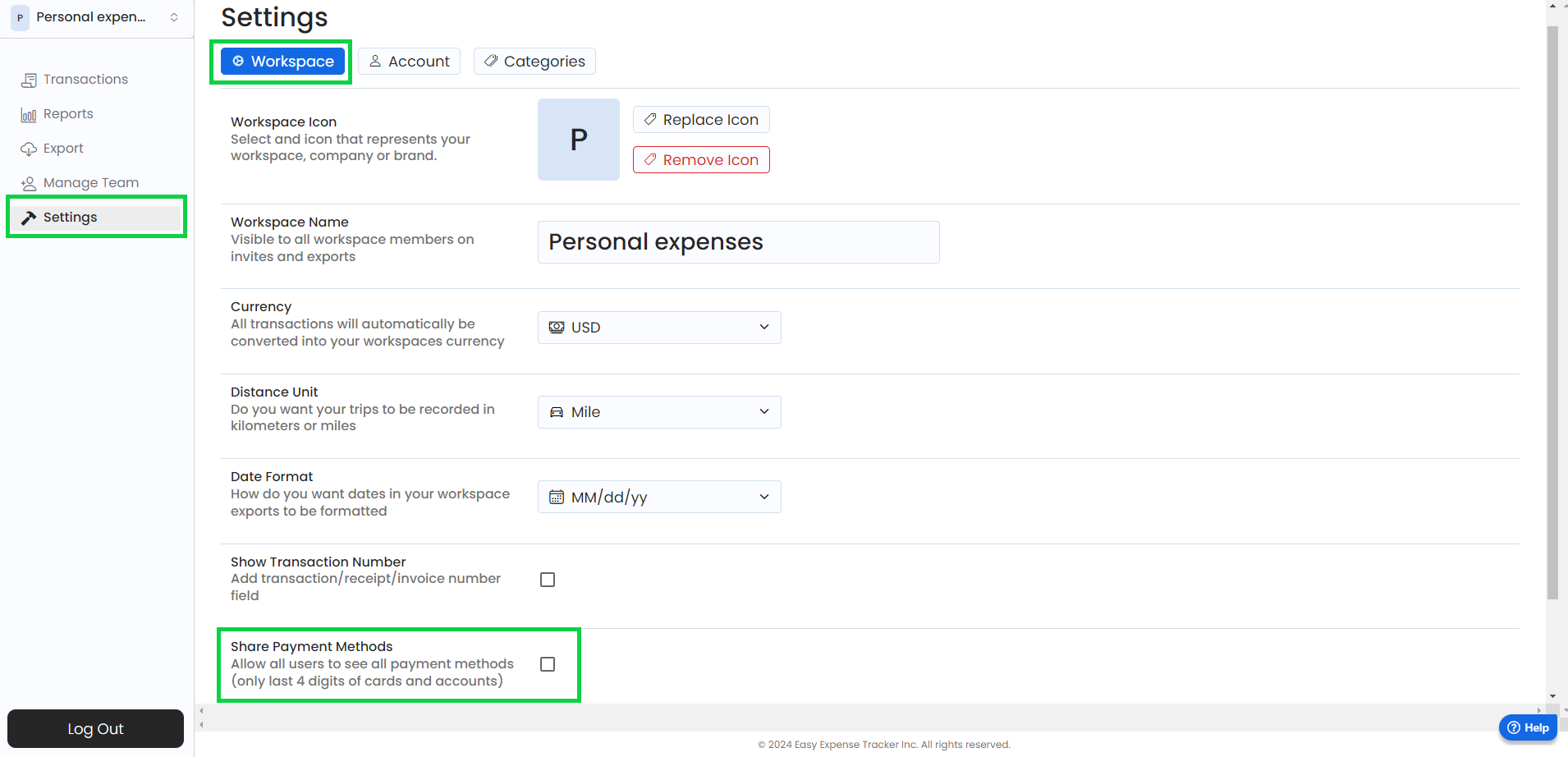
Open the web app
Click on “Settings”
Click on “Workspace”
Untick the “Share Payment Methods” option
Was this helpful?
Still need help? Share an idea